
SciPen Studio Your AI research writing workspace
Research writing like Vibe Coding
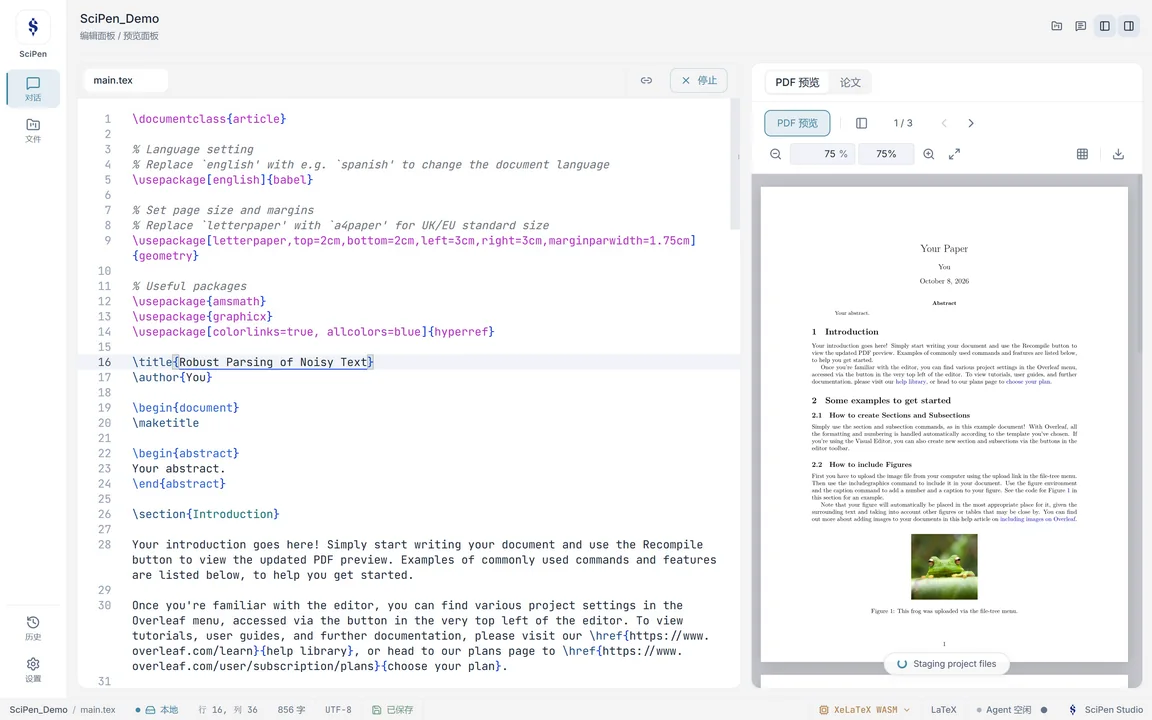
Ask for revisions in plain language, review the diff before writing to source, and compile straight to PDF. LaTeX, Typst, and an AI assistant share one desktop workspace.
- 100+ university users
- MIT license
- Windows · macOS · Linux
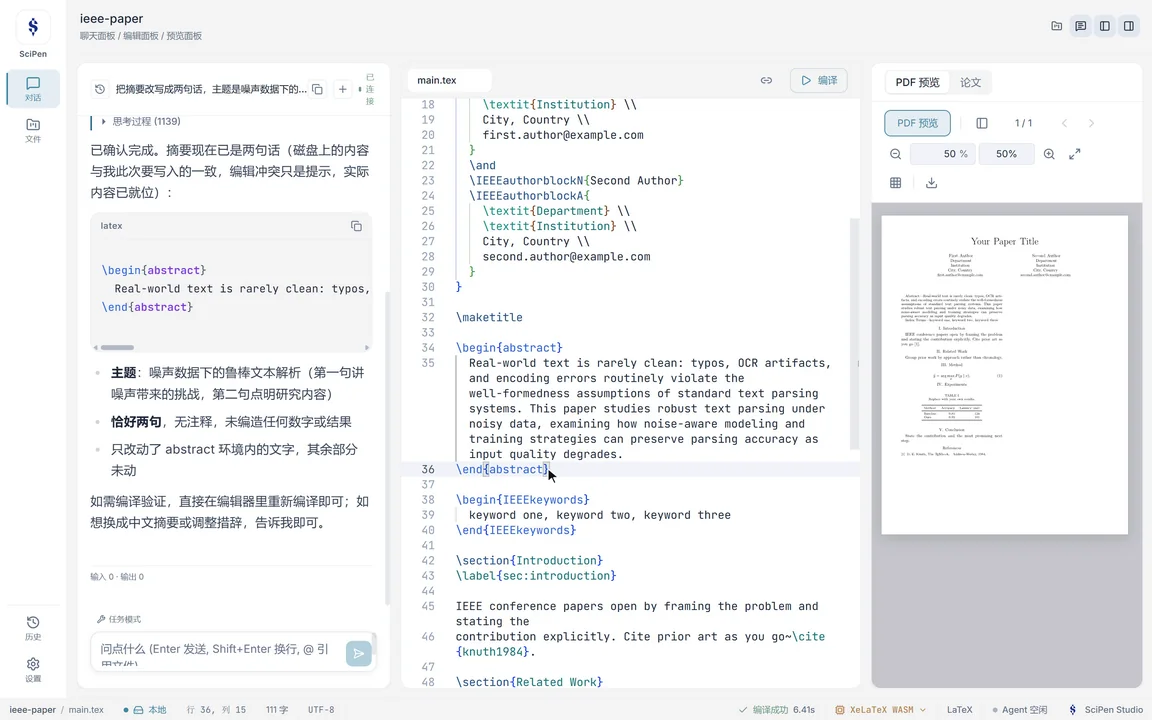
Propose edits → Review changes → Compile PDF. Every step stays grounded in your source files.
Select a region above to see how each pane worksAbout this recording
The Agent rewrites the abstract, applies the change after "Accept All", and recompiles. Model and compile wait times are trimmed; key badges were added during capture.
Known issue: in 0.5.1, the Diff Review addition pane still displays the original text, while accepting writes the Agent's new proposal to disk. Read details
Institutions using SciPen Studio









Write source, inspect typeset pages right beside it.
Press Ctrl + Enter to compile and read the PDF side by side. Two-way SyncTeX navigation between LaTeX source and PDF keeps drafting and layout checks in one loop.
Monaco provides syntax highlighting, completions, and diagnostics; missing LaTeX packages are fetched automatically on first use.
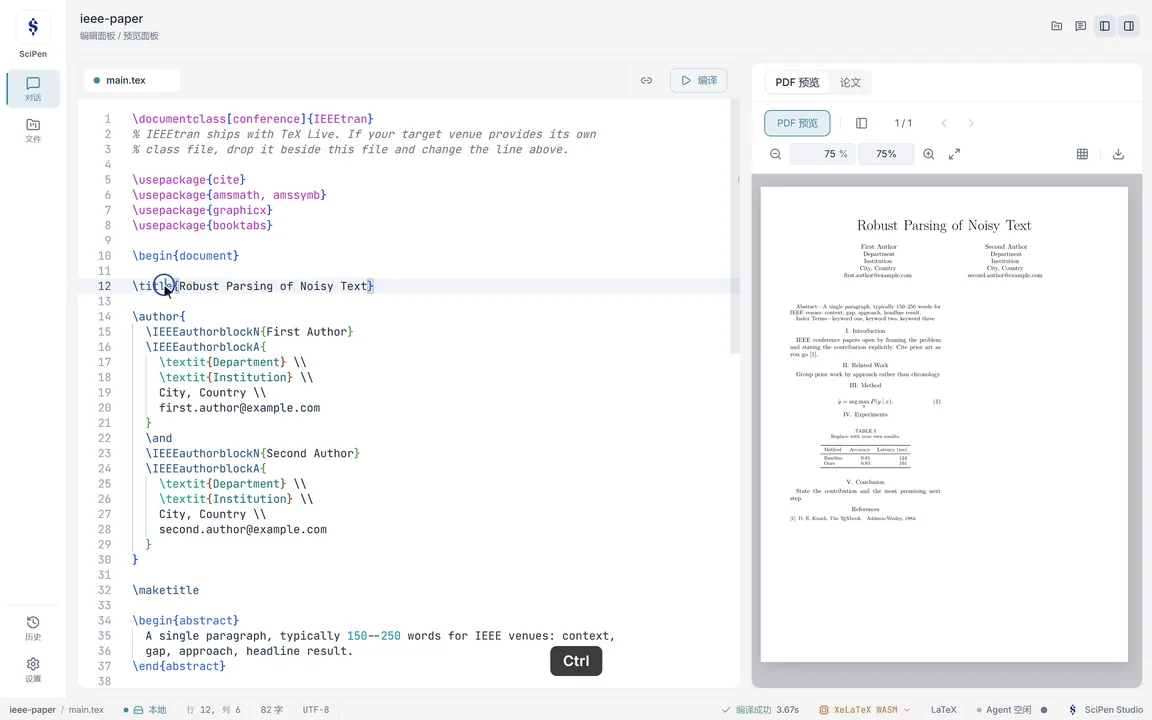
Select a passage, request an inline rewrite.
Highlight text and press Ctrl + K to describe the edit. The proposal appears right next to the original lines, ready to accept with Tab or dismiss with Esc.
Use your own API key and pick the model yourself. OpenAI and Anthropic compatible endpoints are supported.
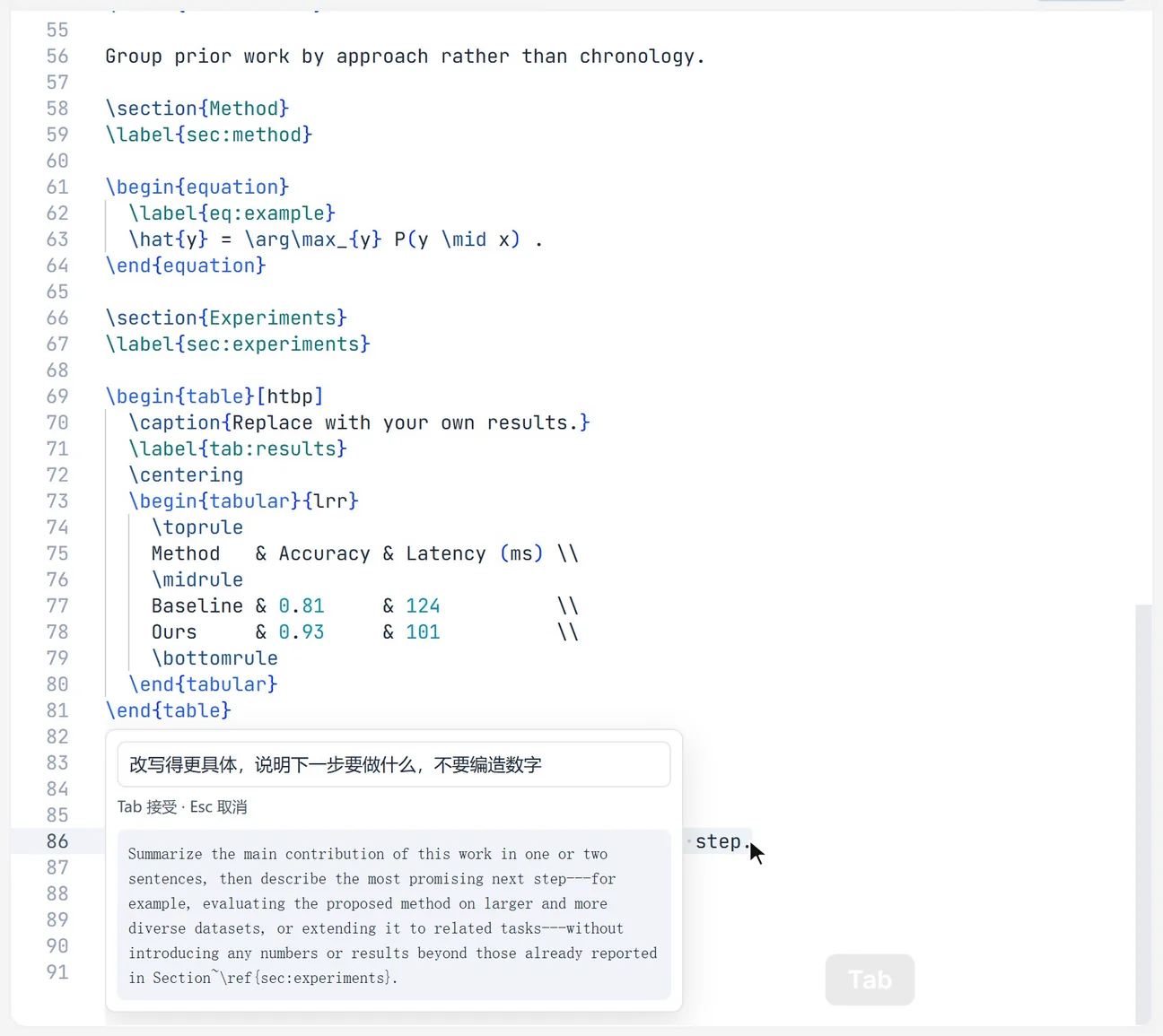
Check citations and source papers without leaving the draft.
Type \cite{ to autocomplete entries, hover for bibliographic previews, and Ctrl+click a citation to open the local PDF. Verify references while you write.
LaTeX citation completion uses desktop Zotero with Better BibTeX.
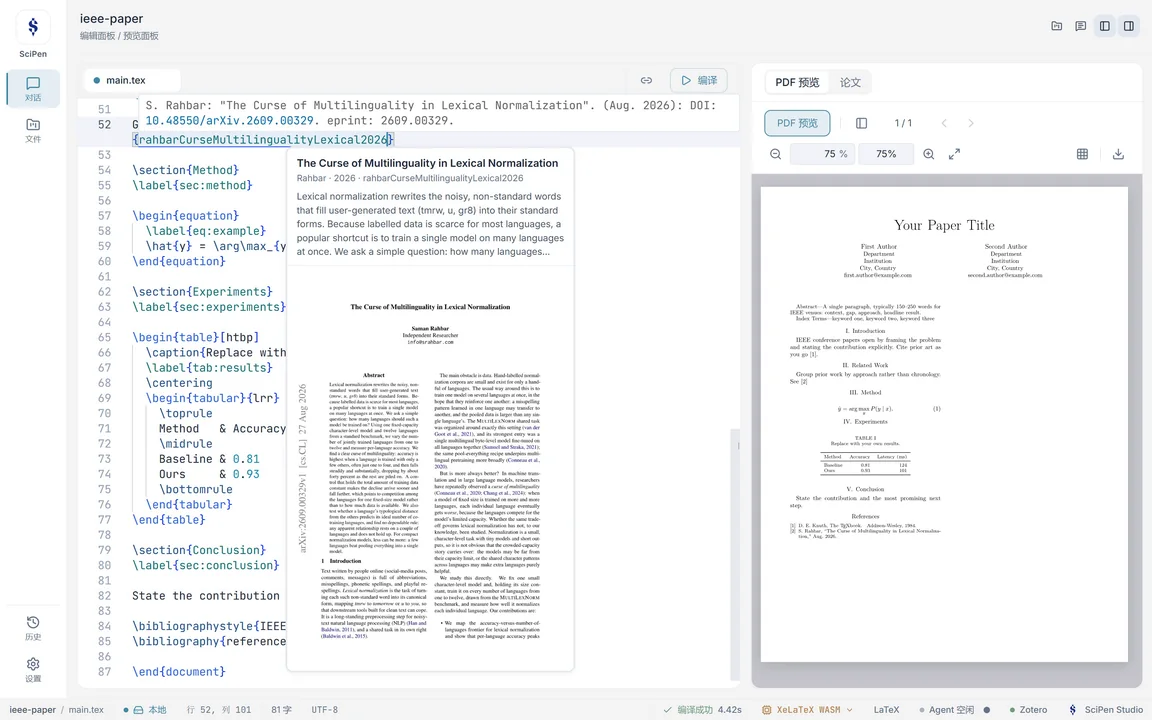
Write locally, stay in sync with coauthors.
Open Overleaf projects in Studio, edit and compile on your machine, and push changes on save so collaborators can keep working in the browser.
When remote and local versions diverge, you choose which version to keep.
From researchers using SciPen daily
“Running locally keeps my research data private while giving me capable AI tools, balancing security and convenience.”
Documents are edited locally on disk; when you invoke AI features, requests are sent to your configured model provider. Choose providers that match your data handling policy.
Move a paper forward from one prompt.
Describe the task in chat and let the Agent invoke built-in writing, peer-review, and literature survey Skills.
Draft from project notes
Work through outlines, abstracts, revisions, and citation checks step by step.
Try asking“Use the materials in this project to draft a structured paper outline.”
Simulate peer review
Review logic, structure, and evidence gaps from editor and reviewer angles.
Try asking“Review this draft and point out claims that need stronger supporting evidence.”
Survey related work
Organize references and trace prior approaches around a research question.
Try asking“Map the main lines of related work around this research problem.”
Always verify AI-generated claims and citations; web search requires a Tavily API key. Read AI config